La fonctionnalité Gestion des exemplaires dans portier Vision permet de gérer les exemplaires de clés individuels. Vous pouvez supprimer des exemplaires ou modifier leur statut (par ex. de « perdu » à « en stock »).
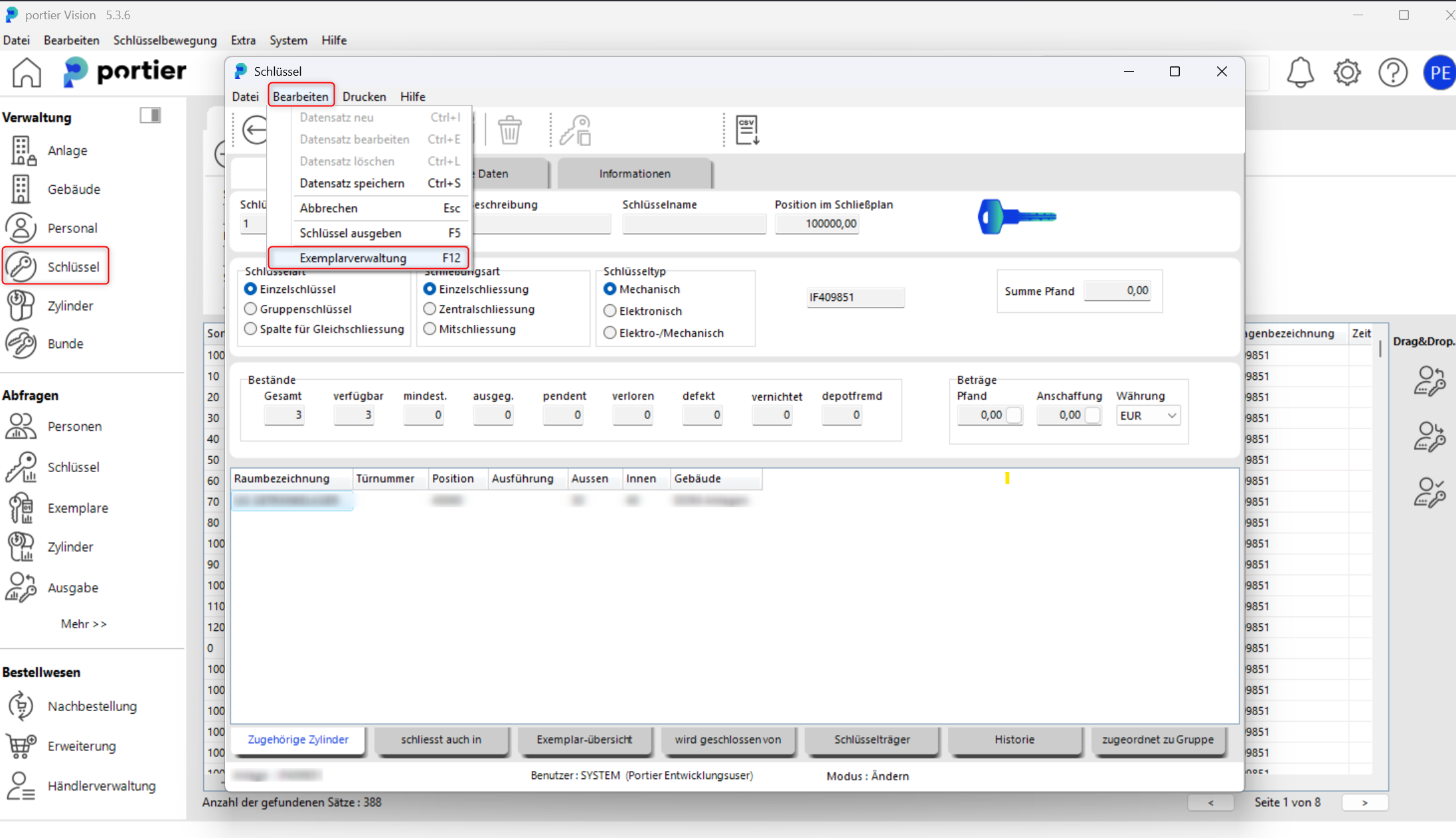
Ouvrez le masque de clé dans portier Vision.
Cliquez sur Modifier puis sélectionnez Gestion des exemplaires.
Vous pouvez aussi appuyer sur F12.
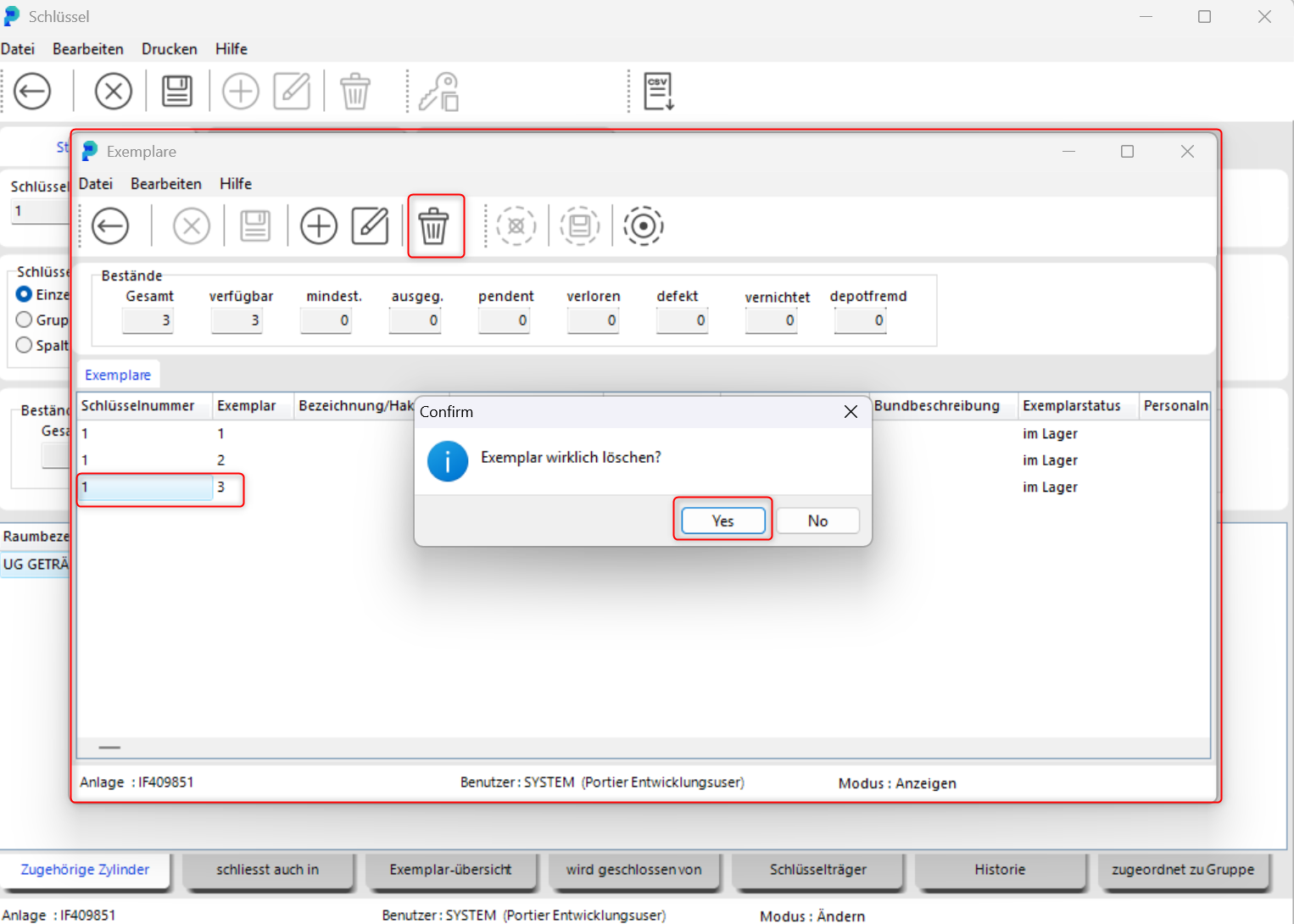
In the copy window, select the copy you want to delete.
Cliquez sur le bouton trash bin icon.
Confirm the prompt with Yes to permanently delete the copy.
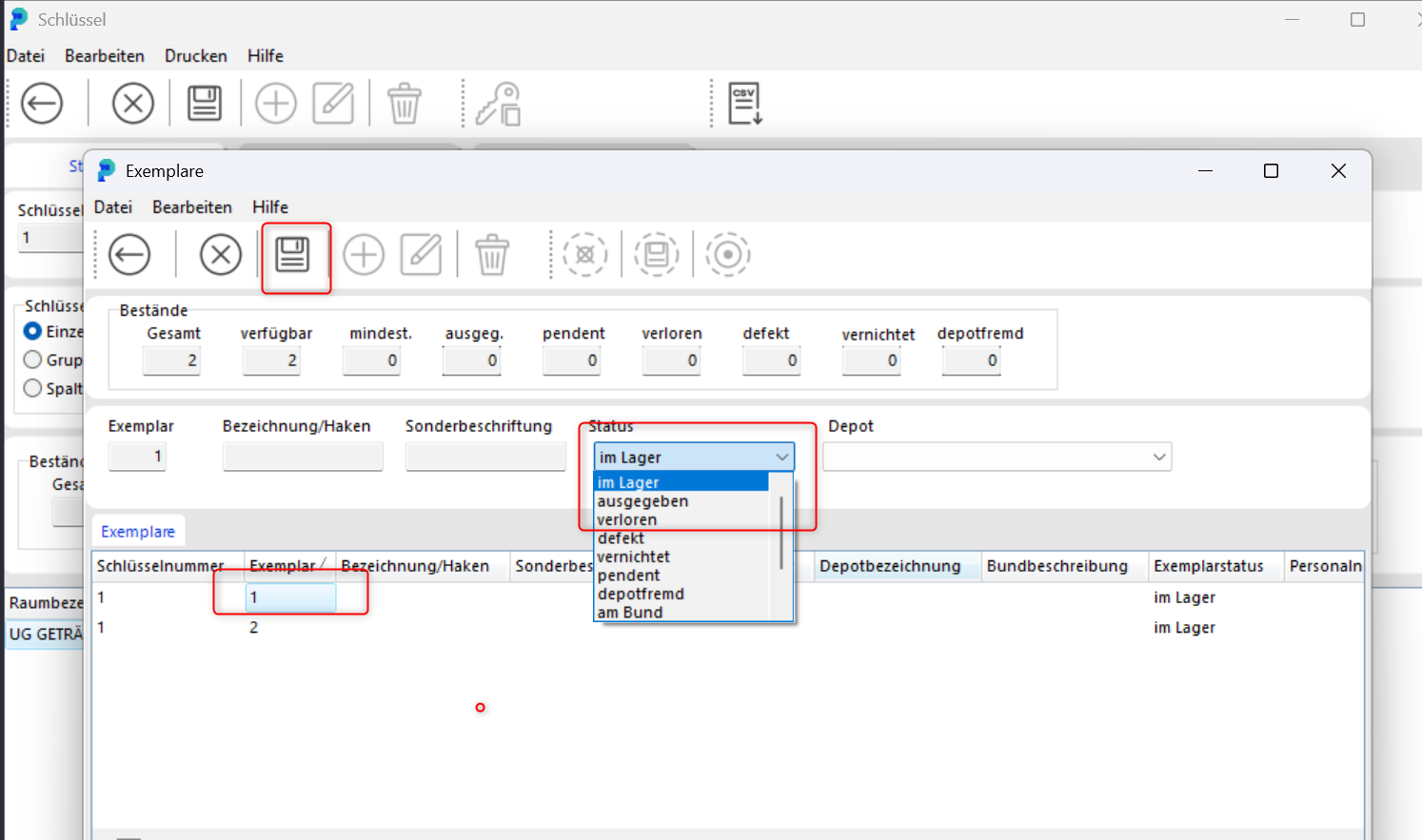
You can also update the status of a key copy in this window.
Cliquez sur le bouton pencil icon (Edit).
Select the copy you want to update.
Change the status, for example from lost back to in stock, and save the change.
Please only delete or modify copies if this is intended in your organization, as changes may affect audit trails and traceability.